A new process for design.

Merely visualizing dimensional design is not enough. Clothing designers need a process that defines every dimension so that the data can be seamlessly carried through to manufacturing. They also need a process that allows the whole team to work all together at every stage. Only Fashionr™ transforms the process and drastically reduces your time-to-market.
Transform your operations: 6 step process of Fashionr
  • Create your style using Configurator

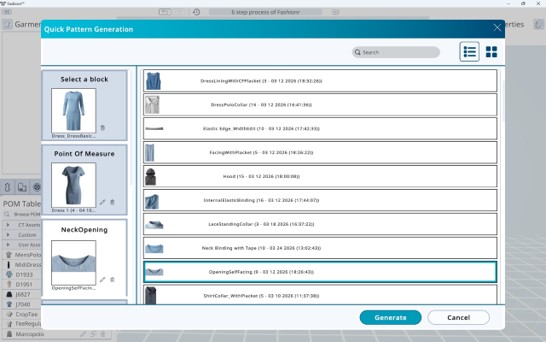
    Choose your block, Point of measure, finishes and trims using a single UI
  • Define Colorways & Prints

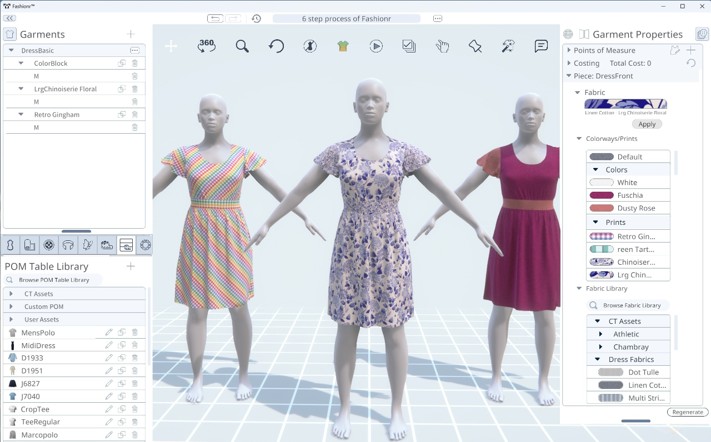
    Create multiple colorways and add prints seamlessly using our print manager
  • Simple Fit Adjustments

    Using the virtual 3D garment and a heat map, fit adjustments are as easy as changing points of measure. The pattern is automatically adjusted, the 3D regenerated and the costing is updated.
  • Auto-generation of pattern / 3D garment

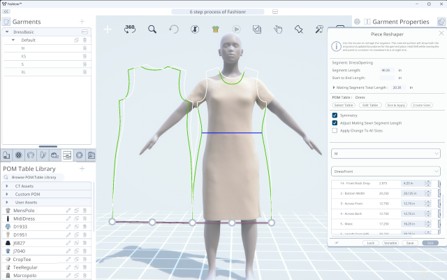
    Based on configurator selections, Fashionr automatically creates the production ready 2D pattern, drapes and Auto-sews the garment
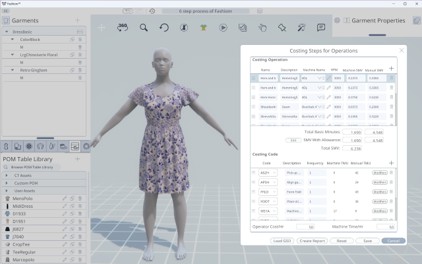
  • Get Costing with a single click

    Fashionr automatically calculates the amount of fabric, trims, thread, manual assembly time, and machine time after every change.
  • Generate Marketing Images

    Fashionr can generate photo realistic images of the style from a simple text prompt using the power of AI

Step 1: Create your Style Using Configurator

Generate Your Garment

Create your design in just a few simple steps.

01

Start a new project by defining your style.

02

Select the block pattern from the list.

03

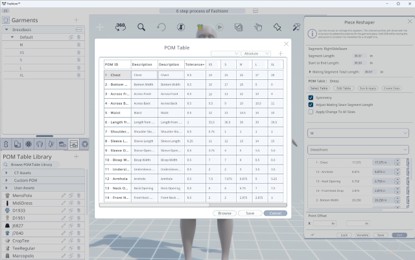
Select the Point of Measurements.

04

Select Finishes that needs to be added in the garment (e.g. Collar type, Sleeve hem , bottom hem, Waistband, Pockets etc)

Then press !

Step 2: Auto Generation of Digital Garment

01

Based on configurator selection, Fashionr auto creates patterns, auto-drapes and auto-sew the garment to create a 3D garment

02

Auto grades all the sizes associated to the style.

03

Auto adjusts all the patterns based on point of measurements

04

Option to adjust the point of measurements manually

Step 3: Define Colorways & Prints

01

Choose fabric type from Fabric library

02

Select right color or print

03

Select multiple fabrics / colors / prints for different parts of the garment

Step 4: Costing Calculated Automatically

01

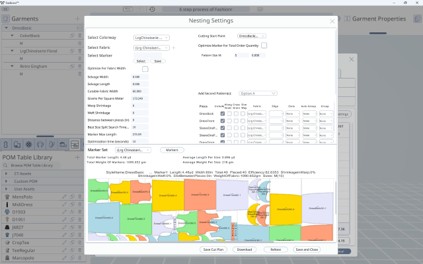
Define nesting properties for Auto Nesting.

02

Generate Auto-Cutplan based on the size-wise order quantity.

03

Get suggestions for optimized fabric width for fabric booking with the best consumption.

04

Sewing linked with patterns to automatically calculate SMV for every operation based on MTM codes and TMUs for each motion.

05

Get revised costing automatically with every change in the style.

Step 5: Simple Fit Adjustments

01

Multiple Heat maps to see the fit of the virtual garment

02

Enter POM changes as needed to automatically adjust the pattern, 3D virtual sample, and all costing

Step 6: Generate Marketing Images

01

With a simple text prompt, you can create photo realistic images of the style using the full power of AI

Fashionr™ - Automated 3D Garment Definition

The four advantages, summarized.

Single Source of Truth

Product specifications are within one project, and any changes in one of them automatically updates all the rest, so you see consistent information.

Shared & Parallel Workflow

Instead of design, product development, and costing teams working in isolated steps, Fashionr allows teams to work on the same shared project with shared libraries.

Manufacturing-Ready Output

The garment designed in Fashionr is immediately ready for production, eliminating any ambiguity from the manufacturing process.

Automate Repetitive Processes

The platform handles tedious manual tasks automatically, offering features like AI-assisted pattern making, auto-grading, automated tech packs, and automated costing and Bill of Materials (BoM).